What you get
What does AI call analytics produce from one call?
One recording produces four results you can read instead of listening to the whole call.
Transcript
The recording is turned into text, separated by speaker.
Summary
A short account of what the call was about and what was agreed.
Mood analysis
Satisfied, neutral or dissatisfied — plus a call score on a 1–10 scale.
Keywords
Search inside the content of the call and jump to the moment a word was said.
Search
How do you find the right moment in a call?
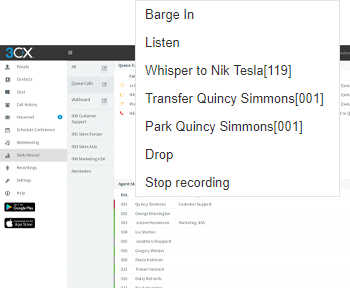
You type a word and the system shows the places in the call where it was said. Clicking the word starts playback from exactly that point — you never listen to a whole recording to find one sentence.
- Search works inside call transcripts
- Playback starts from the clicked word
- The same works for phone calls and video sessions
- Useful for managers, quality specialists and sales
Quality
How do you know how the call went?
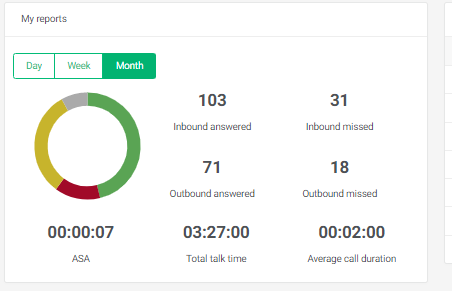
The system determines the customer’s attitude on its own and produces a call score, so service quality can be compared across calls and agents without listening to recordings.
- Mood analysis shows the emotions the customer spoke with
- The call score helps compare service quality across calls
- Lost sales opportunities and script adherence become visible
- Priority setting, alerts for managers and long-term trend analysis
Where it goes
How do the results reach your systems?
The analysis does not stay in a separate tool — it goes where the team works.
Helpdesk ticket
The recording, transcript and analysis are added to the ticket automatically.
CRM record
Every call is linked to the customer history in Plus1CX CRM or your own CRM.
Video meetings
Meetings, training and consultations are transcribed and summarized just like calls.
Any PBX
Analytics works with 3CX or another phone system, so data does not travel between systems.
How it works
How does the analysis run?
Recording
The call or video session is recorded in your phone system — 3CX or another PBX.
Transcript
The recording is turned into text, separated by speaker, in the language of the call.
Analysis
A summary, mood analysis, keywords and a call score are produced.
Results
They reach helpdesk tickets and the customer history in the CRM.
FAQ
AI call analytics — frequently asked questions
Do we have to listen to the whole recording?
No. The recording produces a transcript and a short summary, and a keyword search leads straight to the right part of the call.
What language is the summary in?
The system recognizes the language of the call automatically and prepares the summary, transcript and mood analysis in the same language — English, Spanish and others.
Does the analytics work with our phone system?
Yes. AI call analytics from Plus1CX is a separate, universal product — it works with 3CX and with other phone systems (PBX). The analysis runs automatically, with no separate tool for agents.
Can the results be added to helpdesk tickets?
Yes. The recording, transcript and analysis can be added to helpdesk tickets automatically, so the support team sees the whole communication history.
Are only phone calls analyzed?
No. The system also transcribes video sessions, so meetings, training and customer consultations can be analyzed just like phone calls.
Is call recording legal in the US?
Recording laws differ by state: some require one-party consent, others all-party consent. Plus1CX plays a recording notice at the start of the call, and you decide which queues are recorded.
Can we see it before buying?
Yes. Book a demo and we will run the analytics on a few of your own calls.
Related solutions
We will show the analytics on your calls
Tell us what you want to learn from your calls — we will set up one scenario and look at the result together.
Book a demo
Tell us what you would like to automate — we will show how it would work in your case. Only the email address is required.