What it is
What is Plus1CX Helpdesk and what problem does it solve?
A customer request management system where every contact becomes a ticket with a status, a tag and a history.
One list
Requests from email, calls, web chat and SMS appear in one list.
Statuses
Every request has a status, so it is clear which ones are still unanswered.
Shared history
The history stays with the customer, not in an employee’s private inbox.
Reports
Reports show how many requests arrived, what they were about and how they were handled.
From call to ticket
How does a phone call become a request?
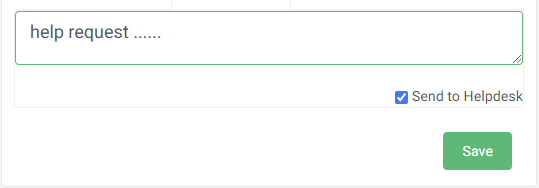
The agent writes a comment after the call — and that comment is registered as a new ticket, without interrupting work or retyping anything. The call topic is assigned to a tag so it shows up in reports later.
- The comment is sent to Helpdesk straight from the call window
- A new ticket is created with the status and the tag
- The record stays with the customer history, available to the whole team
Kanban
How do you see where a request got stuck?
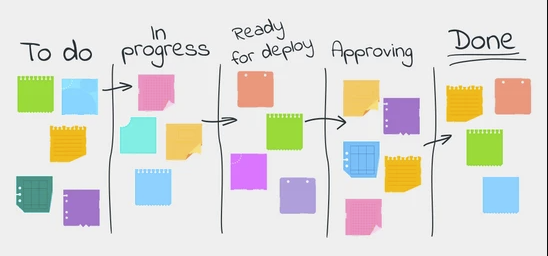
The Kanban board shows every request by status on one screen, with no filtering or searching. The status changes by moving the request to another column, and the customer gets an automatic reply that the request was received.
- Requests are arranged in columns by status
- It is visible who is responsible for each ticket
- Auto-replies confirm receipt to the customer
- Column height shows where the queue grows
What it includes
What does Helpdesk include?
Nine capabilities working on the same request list.
Request management
Every request in one list with a status and an owner.
Email requests
Emails become tickets; reply templates and priority setting.
Requests from calls
A call comment is registered as a new ticket.
Web chat
Website chats land in the same list and the same reports.
Kanban management
A board by status; the status changes by moving the request.
Auto-replies
The customer immediately gets confirmation that the request was received.
Statuses and tags
Every request has a status and a topic, so it can be analyzed.
SMS to customers
Automatic or individual messages: reminders, appointments, promotions.
Reports and statistics
Call and service metrics, workload, topic summaries.
Setup
How is Helpdesk set up?
Four steps — from channels to metrics.
Channels
Email, telephony, web chat and SMS are connected so requests travel into one list.
Statuses and tags
Statuses and topic tags are defined around how the team actually works.
Automation
Reply templates and auto-replies about received requests are prepared.
Reports
You decide which metrics to follow: workload, topics, service pace.
FAQ
Helpdesk — frequently asked questions
Which channels arrive in Helpdesk?
Email, phone calls, web chat and SMS. They all go into the same request list, and statistics are reported together.
Can a phone call become a request?
Yes. During the call the agent can send a comment straight into Helpdesk — that registers a new ticket.
What does the agent see about the customer during a call?
Previous call history and comments, contact details, previous orders or requests, and customer segment flags — before the greeting.
How are request statuses managed?
On the Kanban board. Requests are arranged in columns by status, and the status changes by moving the request.
What reports are available?
Call statistics, Helpdesk service statistics, and combined reports for calls, email, web chat and SMS by topic and by agent.
Can we try it before buying?
Yes. Ask for a demo on this page and we will show Helpdesk on your own scenarios.
Related solutions
We will show you how Helpdesk would work for your team
Tell us which channels your requests arrive through today and where they get lost.
Book a demo
Tell us what you would like to automate — we will show how it would work in your case. Only the email address is required.